
peaq Brings Samsung SmartThings to Robots and Machines

Samsung SmartThings, the connected-device platform with 470 million registered users, is now on robotic.sh. With peaqOS, a robot or machine can find the SmartThings devices around it, read them, follow them, and unlock the door. Autonomously, on demand, without human intervention.
peaq Brings Samsung SmartThings to Robots and Machines
Samsung SmartThings is now available to robots and machines running peaqOS. A machine can discover the SmartThings devices in a building, read their state, and subscribe to changes as they happen. And it can act on them: unlock a door, switch on a light, and lock up behind itself, under its own identity, with a single-use key for every unlock. Autonomously, on demand, without human intervention. Available now on robotic.sh.
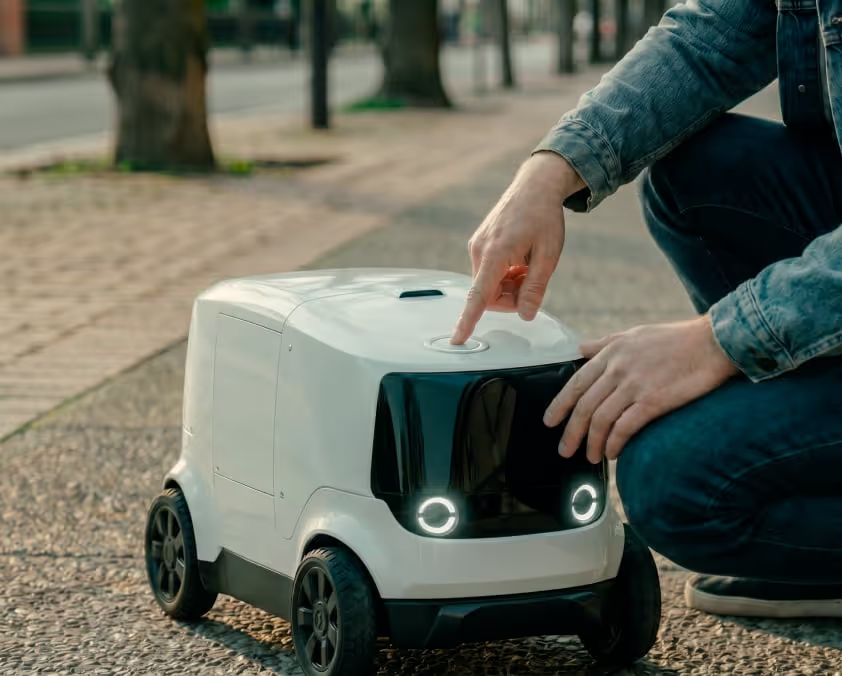
A delivery robot stops at the entrance of a building with Package #142 for Delivery Area B. Behind the glass, the door is held by a smart lock that answers to the building's SmartThings app. The robot isn't in that app, and it never will be.
It has two options. Wait outside until someone with the app walks past and lets it in. Or get its own login to the building's SmartThings, a human account with a human password, copied onto a machine, for this building and then the next one.
With SmartThings via peaqOS, there's a third option: the building's operator says yes once, and the robot acts under its own name, one checked command at a time.
What Samsung SmartThings Unlocks on robotic.sh
SmartThings is Samsung's platform for connected devices: 470 million registered users, more than 430 certified brands. SmartThings speaks Matter, Zigbee, Z-Wave, Thread and Wi-Fi, so a lock from one maker, a switch from another and a sensor from a third all show up in one place, under one API.
That API was built for a person with a phone. Hand a robot that access the old way, and you hand it the whole account. SmartThings via peaqOS never hands the robot the account at all: the token stays with the operator's request, and the robot gets one command at a time, each one checked.
Starting now, Samsung SmartThings is available through robotic.sh. A robot or machine running peaqOS can list the SmartThings devices in a location, read a lock or a switch, subscribe to changes instead of polling, and send a command: lock, unlock, on, off. The operator's SmartThings token rides with each request and is never stored. Every call runs under the machine's own peaq identity, and every unlock runs under a single-use key: one machine, one door, one command, gone after 15 minutes.
It's the first integration of its kind: Samsung SmartThings, open to robots and machines, one command at a time. And it's live on robotic.sh today.
Why This Matters: Buildings Let a Machine In When They Can Trust It
Every smart lock is a promise: only the right ones get through. A robot at the door breaks that promise either way. Either it can't get in at all, or it gets in on borrowed credentials that nobody can trace back to a machine.
Korea, home to Samsung and to more robots per worker than any country on earth, 1,220 per 10,000 employees, already has both in the same buildings. SmartThings is in homes, and Samsung now sells a business version to hotels, offices and stores. The robots work there too. What was missing was a way for the building to know which machine is asking.
With SmartThings via peaqOS, the lock doesn't need to know the robot, and SmartThings doesn't need a robot account. peaqOS knows the machine, scopes what it may do, and keeps the record. And it stacks: a machine in Korea can already take its route from NAVER Maps and talk to a oneM2M building through KETI's Mobius, and now it can open a SmartThings lock. Every new service added compounds peaqOS Scale's overall value.
peaq Handles the Coordination
peaq is the layer that lets machines reach SmartThings and use it. For each request, peaq handles:
- Machine identity, via peaq DIDs, with a current, signed pairing
- Permissions per machine: a robot can be cleared to read the devices and still be denied control
- Credentials at the request: the operator's SmartThings token rides along and is never stored
- Single-use keys for unlocks: one machine, one door, one command, gone after 15 minutes
- Coordination of the call, from request to result, including the events that come back
- A verifiable, auditable record of which machine sent what, and whether the device followed
So a building can let a machine in without ever handing it the keys.
Showcase: A Delivery Robot Opens the Door in Its Own Name
We're showcasing the integration with a demo where a delivery robot enters a SmartThings-connected building. It's a real SmartThings flow, simulated with peaqOS, with peaqOS handling identity, coordination and the record, and SmartThings speaking for the building's devices.
Here's the scenario: Package #142, Delivery Area B, an entrance held by a smart lock, a light in the delivery area, both on the building's SmartThings, and a robot that has never been in the building's app. Here's how the process unravels:
→ The robot checks in under its own peaqOS identity, with the operator's SmartThings token riding along, and lists the devices in the location: the entrance lock and the delivery-area light
→ It reads the lock: locked, online. It subscribes to the lock, so it hears the moment anything changes
→ It orders an unlock. The order gets a single-use key, tied to this robot, this door and this command, good for 15 minutes
→ SmartThings accepts the command. Seconds later, the lock reports itself unlocked, and only then does the robot count the door as open and drive in
→ It switches the light on, delivers Package #142, switches the light off, and locks the door behind it
Four commands, one identity, and no password on the robot. Every order, every command and every answer from the device sits in the record, in the robot's name.
VIDEO
More Real-World Scenarios
Scenario 1 — A Night Cleaner That Knows Where the Lights Are
It's 9 p.m. in an office and a cleaning robot starts its round. The lights are on SmartThings switches, floor by floor, and nobody is left to flip them.
The old way is every light on all night, or a robot cleaning in the dark on a timer.
Instead, the robot switches on the lights where it works through robotic.sh and off again when it leaves. It subscribes to the switches too: a light that comes on by itself means someone is still there, and the robot comes back later.
Lights where the work is, dark where it isn't.
Scenario 2 — A Shared Depot Where Every Robot Carries Its Own Key
Delivery robots from three operators share a charging room behind a SmartThings lock. By morning all of them need to be inside, charged, and back out.
The old way is one PIN for everyone, or a human on the night shift opening the door.
Instead, each robot unlocks the door under its own identity. Every unlock runs on a single-use key tied to that robot, a robot without a current pairing stays outside, and the record shows which robot opened the door at 2:14 a.m., and that it locked up again.
One lock, many robots, and every opening has a name on it.
Locks and lights are day one. The same path reaches everything else SmartThings connects, and each new capability is a catalog update, not a new integration.
Available Now on robotic.sh
Samsung SmartThings is now live on robotic.sh for robots and machines running peaqOS.
Machines can find the SmartThings devices around them, read them, follow them and act on them, under their own identity. Every command leaves a verifiable, auditable record.
Because autonomous machines shouldn't have to choose between waiting outside and borrowing a human's keys.
They should be able to open the door in their own name.
→ Visit robotic.sh to get started.


